My playtime tracking works surprisingly well with PC games on Android
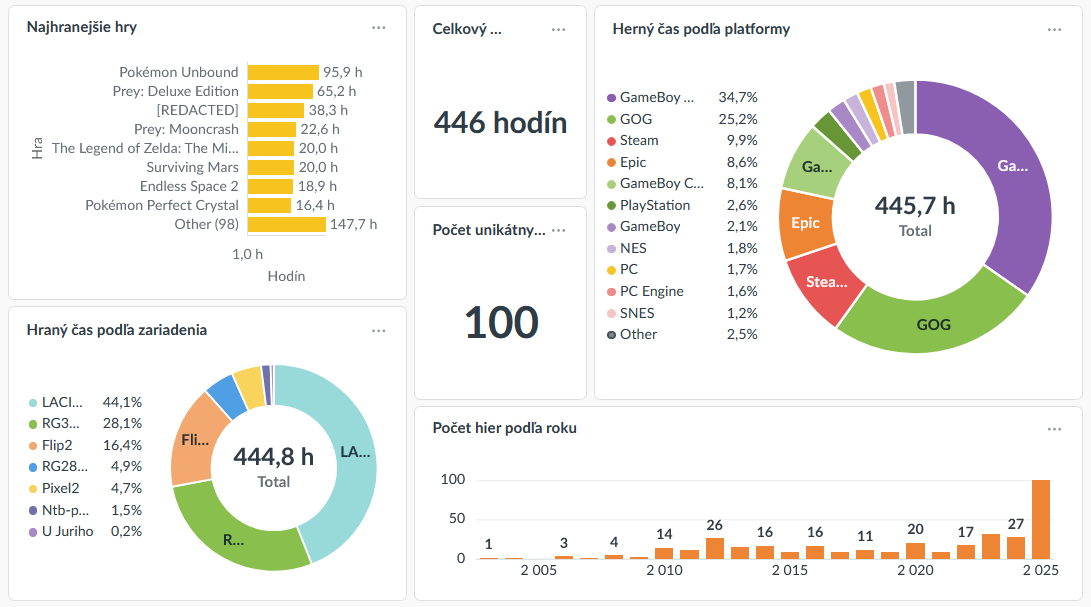
When I wrote about my system for Playtime tracking for Retro and PC games, at the end I mentioned that when ES-DE added their own playtime tracking it obviated the need for a few of the components I wrote. The result was a bit janky, but it did reduce complexity and increased data quality and automation, so I'm not complaining.
However, after I wrote that I started experimenting with PC games on Android - specifically, my Retroid Pocket Flip 2 console. These translation layers have gotten to the point where it's trivial to run your GOG/Steam/Epic games on your ARM-based handheld using something like GameNative.
 GameNative
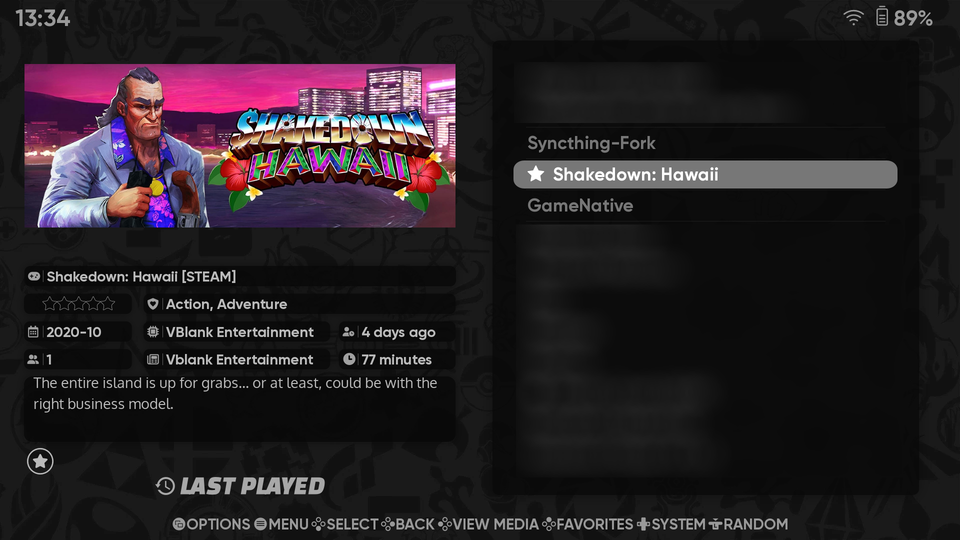
I enjoyed some games (except Vampire Survivors, which I really wanted to play on this, but for some reason it kept crashing at the end of every run). For the first time ever, I even bought a PC game specifically to play it on Android: Shakedown: Hawaii is basically a modern, indie take on the oldest, top-down GTA games. (Sadly, it's not on GOG.)


I found the recommendation in TechDweeb's 7 Amazing Indies for your Handhelds video, in case you wanna see 6 more interesting recommendations.
But to my chagrin, all of the playtime got reported by ES-DE under the game name GameNative. Even though it makes sense - GameNative was the thing I was launching from ES-DE, after all - it was not great.
Later I realized that there might be a fix: what if I tried importing the games into the frontend directly? I've seen videos of people doing this with various things, most often to include retro games in their Steam Deck UI - so, in a sense, the exact opposite of my situation. I never really saw the appeal - it sounded like a lot of bother, and I didn't actually mind having all the PC games 'under one roof' in GameNative.
But I had a hunch that if I did this, maybe ES-DE would start treating each game as a separate entry and track the playtime. And maybe the rest of my systems would just work.
To my surprise, that's exactly what happened.
The hardest/most annoying part actually was figuring out how to name the folders so the frontend would pick the games up. I had to dig for that, it doesn't seem that well documented, which is surprising. But I guess the features are relatively new, maybe that's why.
Once I did that I was set: ES-DE showed the game and tracked playtime, my system picked it up and it showed up in tracking. The only problem was tiny indeed - if the tracking was registering playtime for a game for the first time, and if it wasn't in my master list of games yet and had to be created, my system automatically tags the game as 'retro', because it's coming in from my retro-playing handheld. But since I update the tags for each game manually anyway, that's no problem at all.
This entire thing felt satisfyingly easy to set up, and it's been working with zero issues for two months now. Yay.

Comments ()